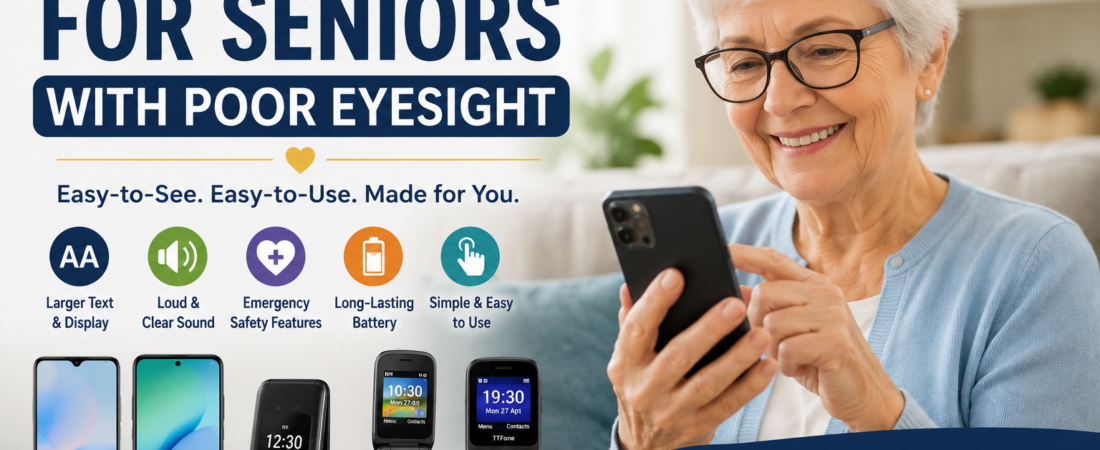
Choosing a smartphone can be overwhelming at any age, but it can be especially challenging when eyesight is no longer what it used to be.
Many older adults struggle with:
- Tiny text
- Cluttered screens
- Confusing menus
- Phones that seem designed for teenagers rather than everyday users
The good news is that modern smartphones offer features that can make a huge difference, including:
- Larger displays
- Adjustable text sizes
- Voice assistants
- Hearing aid compatibility
- Emergency safety features
As a registered nurse working with older adults for many years, I’ve seen firsthand how the right phone can improve independence, confidence, and communication with family and friends.
A good smartphone isn’t just a gadget—it’s a way to:
- Stay connected
- Access important services
- Feel safer when living independently
In this guide, we’ll look at top phone options for seniors with vision challenges, including easy-to-use smartphones and senior-friendly devices that prioritize readability, safety features, and value for money.
Quick Comparison: Best Phones for Seniors With Poor Eyesight
| Phone | Best For | Screen Size | Ease of Use | Battery Life | Price Range |
|---|---|---|---|---|---|
| Samsung Galaxy A17 | ⭐ Best Overall Smartphone | 6.7″ | ⭐⭐⭐⭐☆ | ⭐⭐⭐⭐⭐ | $180–$250 |
| realme Note 70T | 💰 Best Budget Smartphone | 6.7″ | ⭐⭐⭐⭐☆ | ⭐⭐⭐⭐⭐ | $120–$180 |
| Artfone 4G Foldable Senior Phone | ☎ Best Simple Senior Phone | 2.4″ + External Display | ⭐⭐⭐⭐⭐ | ⭐⭐⭐⭐⭐ | $50–$90 |
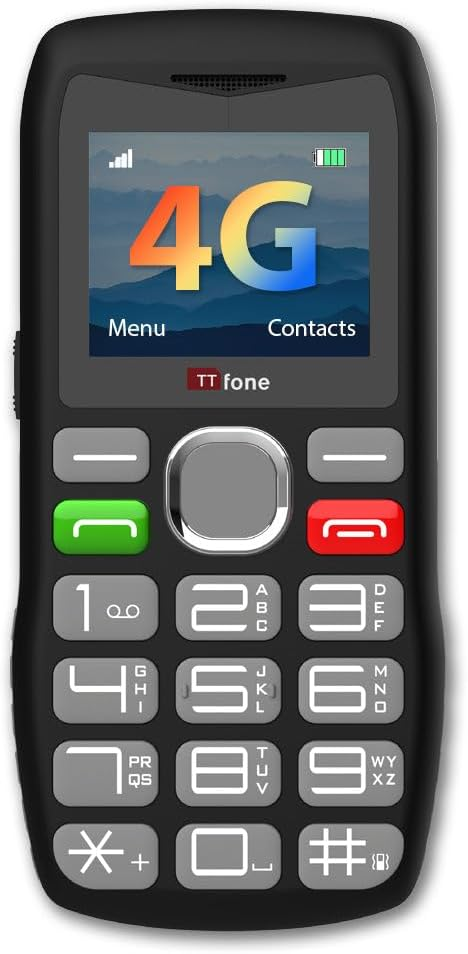
| TTfone TT890 | 📞 Best Basic Phone | 2.8″ | ⭐⭐⭐⭐☆ | ⭐⭐⭐⭐☆ | $50–$100 |
*Battery life varies based on usage, settings, and network conditions.
Pros and Cons at a Glance
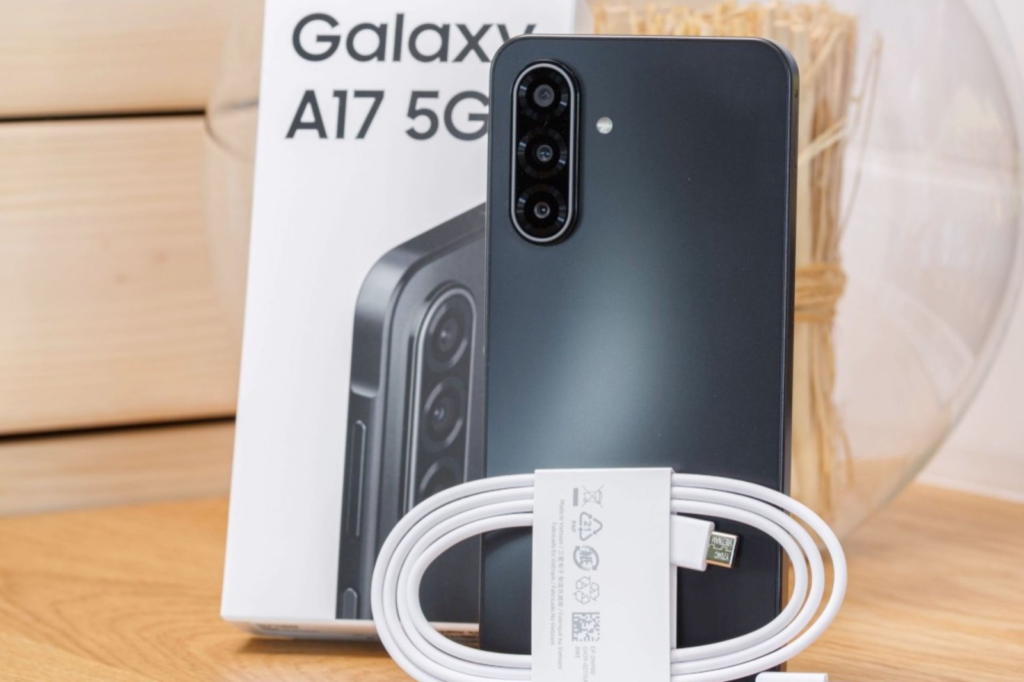
Samsung Galaxy A17
- Pros:
- Large 6.7-inch display
- Adjustable accessibility settings
- Strong battery life
- Cons:
- Requires basic smartphone knowledge
- More features than some users need
Check Listing in Amazon by clicking the link below:
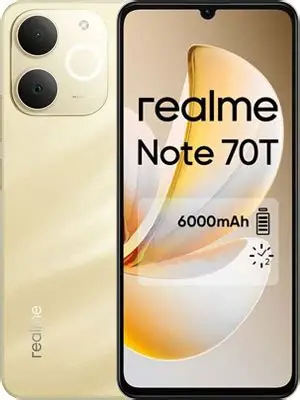
realme Note 70T
- Pros:
- Affordable price
- Large easy-to-read screen
- Excellent battery life
- Cons:
- Fewer premium features
- Interface may require some setup
Check Listing in Amazon by clicking the link below:
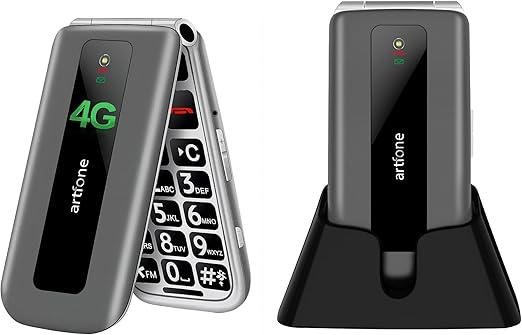
Artfone 4G Foldable Senior Phone
- Pros:
- Large physical buttons
- Dedicated SOS button
- Simple operation
- Cons:
- Limited app support
- Small screen compared with smartphones
Check Listing in Amazon by clicking the link below:
TTfone TT890
- Pros:
- Straightforward design
- Loud audio
- Good battery endurance
- Cons:
- Basic functionality only
- Not ideal for internet use
Check Listing in Amazon by clicking the link below:
What Makes a Smartphone Easy for Seniors to Use?
Before spending money on a new phone, it’s important to understand which features matter most for readability and accessibility.
Large, Bright Screen
A larger screen makes everyday tasks easier, including:
- Reading messages
- Viewing photos
- Browsing the internet
- Watching videos
A display of 6 inches or larger is generally ideal for seniors who need clearer visibility.
Adjustable Text and Icons
Most modern smartphones allow you to:
- Increase text size
- Enlarge app icons
- Adjust display scaling
These settings can make a dramatic difference for people with reduced vision.
Loud Speakers
A phone should be easy to hear, even in noisy environments.
Look for devices with:
- Strong speaker volume
- Clear call quality
- Hearing aid compatibility when needed
Simple Navigation
The fewer steps required to make a call or send a message, the better.
Easy-to-use smartphones for elderly users often feature:
- Cleaner interfaces
- Larger icons
- Intuitive menus
- Simplified settings
Emergency Features
Many phones now include built-in safety tools such as:
- SOS calling
- Emergency contacts
- Medical information storage
- Location sharing
Battery Life
Nobody wants to charge their phone several times a day.
Long battery life is especially important for seniors who rely on their phone for communication and emergencies.
Best Overall Smartphone: Samsung Galaxy A17
If I were helping a family member choose a smartphone today, this would be my first recommendation.
The Samsung Galaxy A17 strikes an excellent balance between usability, affordability, and modern features.
Why It Stands Out
Key strengths include:
- A large display that’s easy to read
- Adjustable text and icon sizes
- A straightforward Samsung interface
- Reliable battery performance
Why Seniors Like It
✔ Large, bright screen
✔ Adjustable font sizes
✔ Good speaker volume
✔ Reliable battery life
✔ Easy access to emergency features
✔ Great for video calls with family
What Could Be Better
✘ Still requires learning basic smartphone skills
✘ More features than some seniors may need
Best for: Seniors who want a modern smartphone without spending premium prices. Its readable display and customizable accessibility settings make it an excellent choice for users with vision difficulties.
Pros and Cons
Pros
- Large and bright 6.7-inch display
- Excellent accessibility customization
- Reliable battery performance
Cons
- Learning curve for first-time smartphone users
- May include unnecessary features for some seniors
Best Budget Smartphone: realme Note 70T
For seniors looking for the largest screen possible without spending too much, the realme Note 70T offers impressive value.
Why It’s a Great Budget Choice
The phone delivers:
- An easy-to-read display
- Excellent battery life
- Smooth calling and messaging performance
- Video chat capability
- Text-scaling options for improved readability
Its large screen and accessibility settings make it a strong contender among affordable phones designed for easier viewing.
Best for: Budget-conscious seniors who still want a full smartphone experience.
Pros and Cons
Pros
- Affordable pricing
- Large display with readable text
- Long-lasting battery life
Cons
- Fewer advanced features
- Software experience may vary by user preference
Best Senior-Friendly Phone: Artfone 4G Foldable Senior Phone
Not everyone wants a smartphone.
Some seniors simply want a phone that makes calls, sends messages, and works reliably.
Key Features
The Artfone 4G Foldable Senior Phone is designed specifically with older adults in mind and includes:
- Large physical buttons
- Bright display
- Loud speaker
- SOS emergency button
- Charging dock
Why Many Seniors Prefer It
For many older adults, simplicity beats technology.
This is an excellent option for users who prefer a straightforward device over a touchscreen smartphone.
Pros and Cons
Pros
- Large buttons and simple controls
- Dedicated SOS emergency feature
- Convenient charging dock
Cons
- Limited functionality beyond calls and texts
- Smaller display than a smartphone
Smartphone vs Senior Phone: Which Should You Choose?
Choose a Smartphone If You:
- Use WhatsApp
- Enjoy video calls
- Browse the internet
- Use maps or online banking
- Want access to apps
Choose a Senior Phone If You:
- Mainly make calls
- Prefer physical buttons
- Want maximum simplicity
- Need a dedicated SOS button
Many families researching phones for older adults with vision concerns find that the right choice depends on whether the user values smartphone features or prefers a simpler calling-focused device.
Tips to Make Any Smartphone Easier to Read
Even if you already own a phone, these simple adjustments can make it much easier to use.
Increase Font Size
Most phones allow larger text in just a few taps.
Increase Display Size
This enlarges:
- Icons
- Menus
- Interface elements
Making smartphones easier to navigate for users with vision challenges.
Use Voice Commands
Siri and Google Assistant can help you:
- Make calls
- Send texts
- Set reminders
- Answer questions
All using only your voice.
Enable Emergency Features
Take a few minutes to set up:
- Emergency contacts
- Medical information
- SOS features
- Emergency location sharing
Final Verdict
For most seniors with poor eyesight, the Samsung Galaxy A17 is the clear winner thanks to its:
- Large, easy-to-read display
- User-friendly features
- Strong battery life
- Excellent overall value
Other Strong Options
Choose the realme Note 70T if:
- Keeping costs down is your main concern
- You still want a large screen
- You prefer a full smartphone experience
Choose the Artfone 4G Foldable Senior Phone if:
- Simplicity matters more than apps
- You prefer physical buttons
- You want straightforward communication and safety features
Bottom Line
Whether you’re shopping for an older family member or comparing accessibility-focused smartphones, starting with the Samsung Galaxy A17 is a sensible choice unless you have a specific need for a simpler device or a lower-priced alternative.
Comparing the latest prices can help you find the best deal, as smartphone pricing and promotions often change throughout the year.
Ultimately, the best phone is the one that helps you stay connected, independent, and confident every day.